
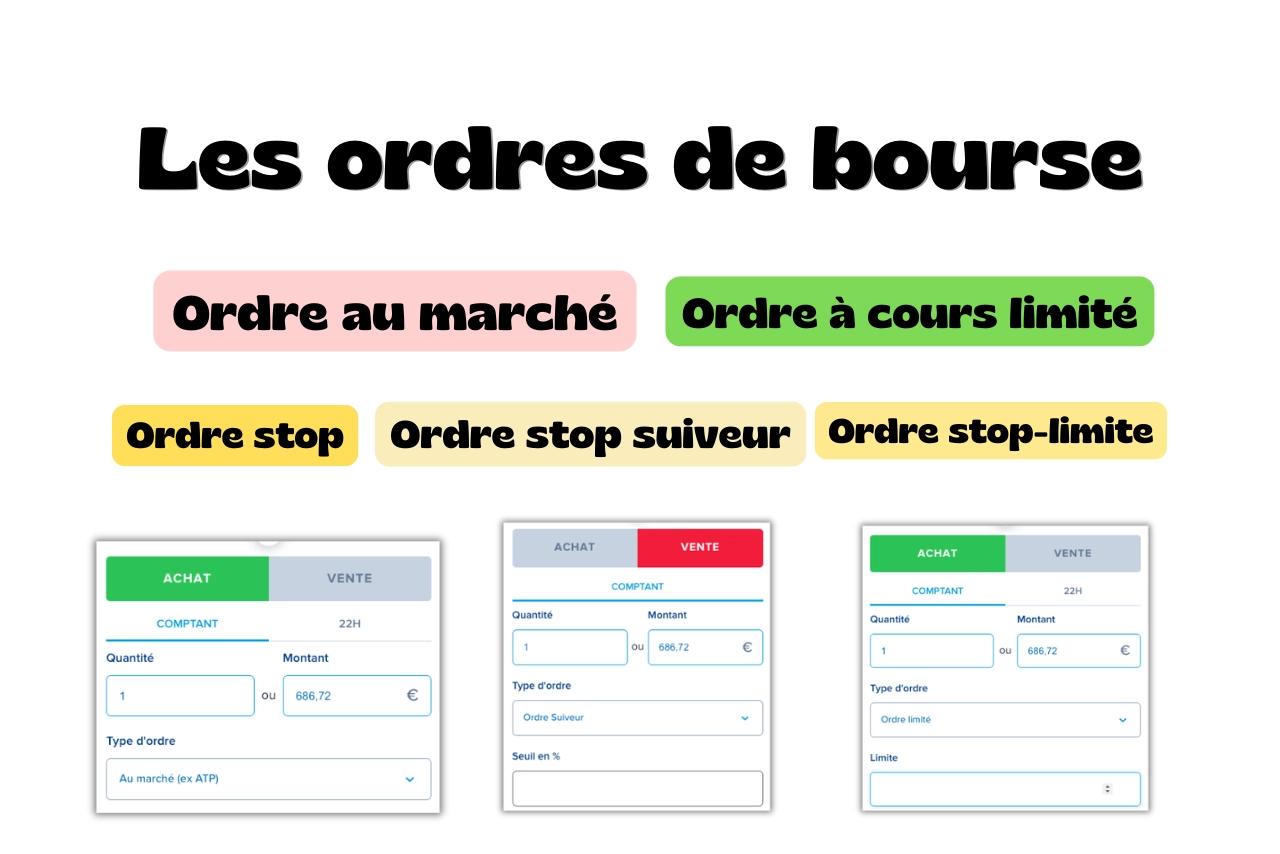
What is a trading order?
A trading order is an instruction to a financial intermediary, such as a bank or broker, to buy or sell listed financial products, including stocks, bonds or ETFs.
It specifies the direction, buy or sell, the number of securities and the order type, which determines the transaction's execution conditions and price.
Three order types cover most retail investors' needs:
- Market orders
- Limit orders
- Stop orders
Each serves a different purpose: fast execution, control over the purchase or sale price, or triggering an order when a threshold is reached.
Market orders
A market order requests execution without setting a price limit.
When it reaches the market, it uses the best prices offered by buyers or sellers in the order book at that moment.
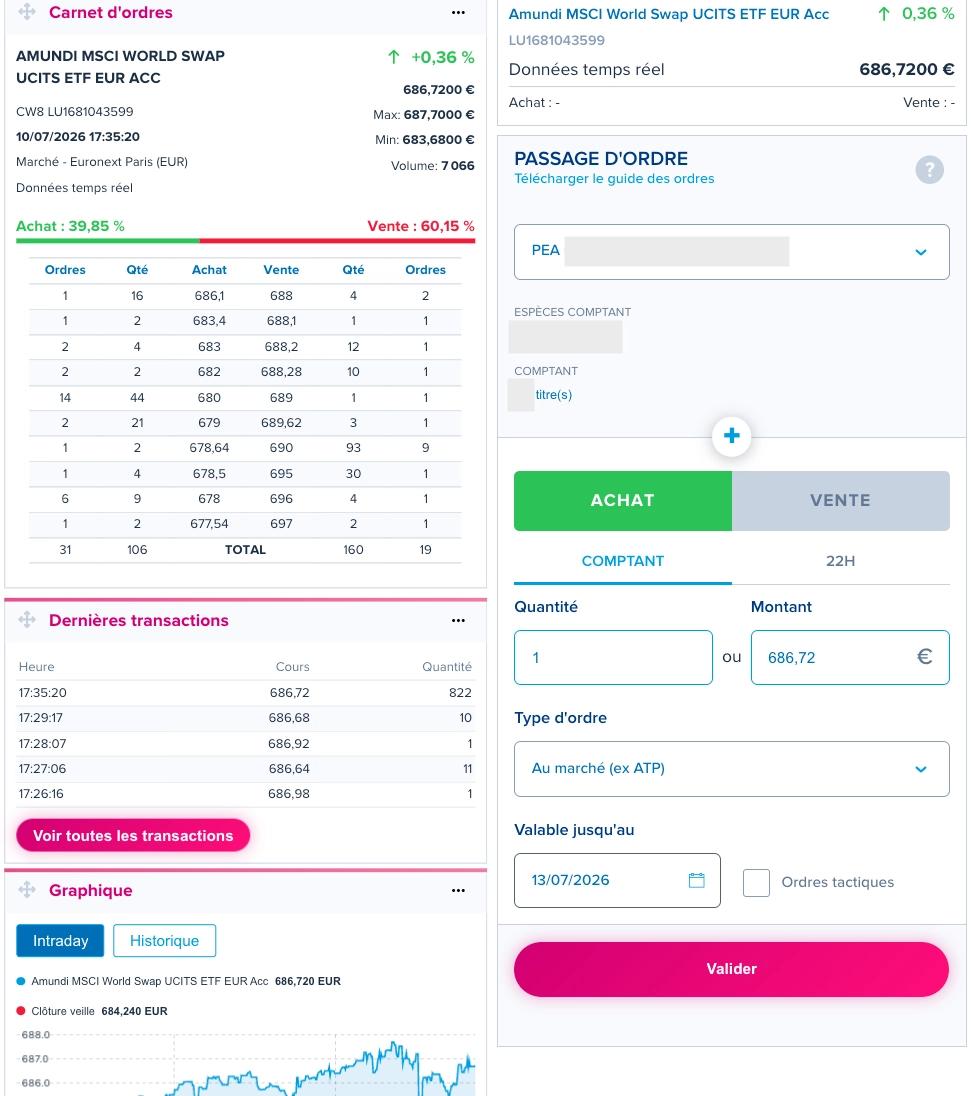
If there isn't enough quantity at the best price, it may execute at several price levels.
For a liquid ETF, a small order can generally fill entirely at the best available price.
For a larger order or a less liquid security, the quantity at that price may not be enough.
The order then uses subsequent levels in the book, potentially making the average execution price less favourable.
Advantages and disadvantages
The main advantage is the high likelihood of execution, particularly in a liquid security.
That isn't absolute, though, if trading is suspended or no counterparty is available.
In a volatile or illiquid security, the execution price can differ substantially from the last price displayed before you submitted the order.
Limit orders
A limit order sets a maximum purchase price or a minimum sale price.
It only executes if a counterparty is available at that price or better.
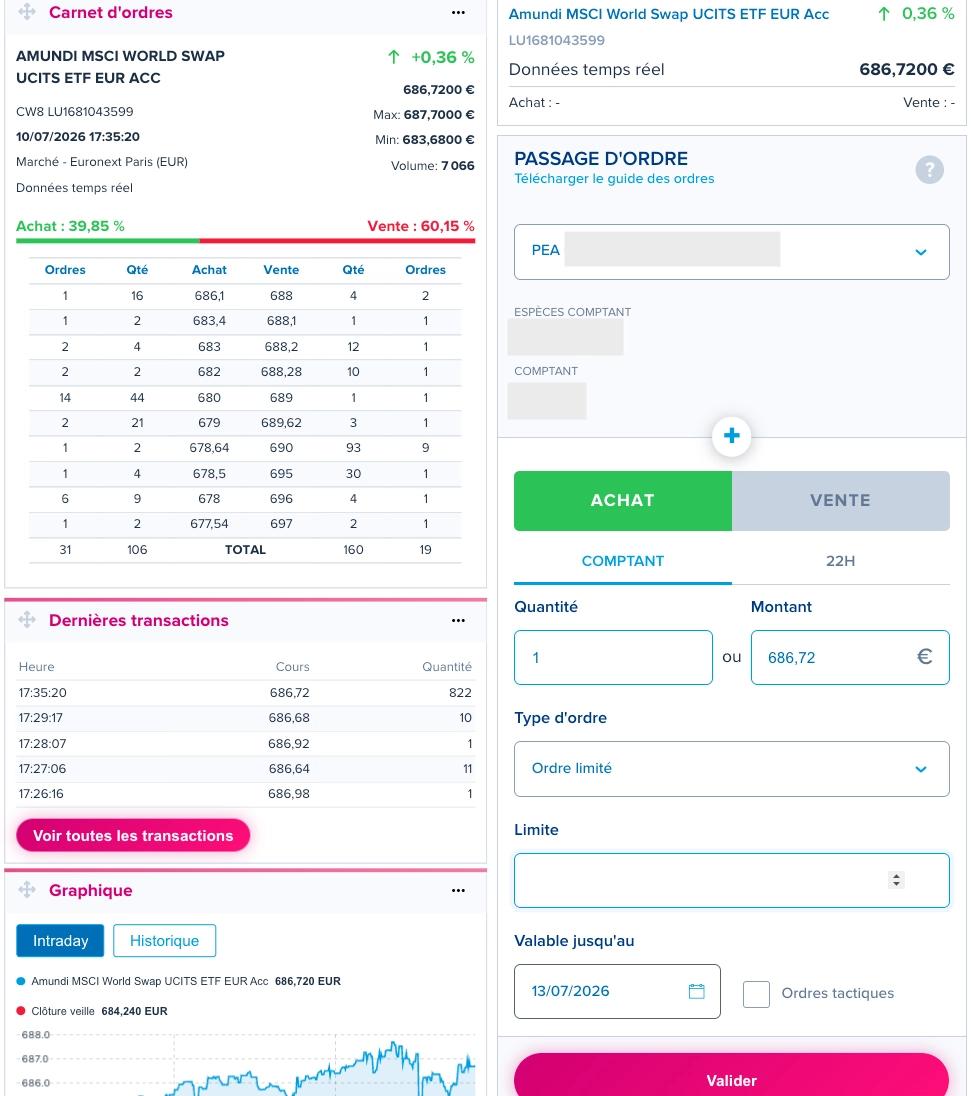
To buy a unit of the CW8 ETF, for example, you could place a limit order at €683.00.
The purchase could then execute only at €683.00 or lower.
It might fill all at once, in several parts at different times, or not at all if no counterparty is available at the limit during the order's validity period.
Advantages and disadvantages
A limit order controls the maximum price paid when buying or the minimum received when selling.
It prevents buying above your limit or selling below it, whereas a market order could execute at a worse price than expected.
The trade-off is that the order may never fill if no quantity is available at your price or better.
An investor setting a buy limit too far below the current price risks missing the ETF entirely if it rises without returning to that limit.
Stop orders
A stop order triggers when price reaches a threshold set in advance.
It's mainly used to limit a loss, preserve part of a gain since purchase or buy a security when it reaches a specified level.
Standard stop orders: sell stops and buy stops
A sell stop, also called a stop loss, triggers when price falls to the specified threshold.
Take a stock bought at €50.
A sell stop at €45 triggers as soon as price reaches or falls below €45.
A buy stop works the other way around, triggering when price rises to the threshold.
For a stock trading at €50, an investor might place a buy stop at €55 if they only want to buy once it reaches or exceeds that level.
Once triggered, a standard stop becomes a market order.
It therefore executes at the prices then available, which can differ from the threshold during a fast move.
Stop-limit orders
A stop-limit order combines a trigger price and a price limit.
When the trigger is reached, it becomes a limit order instead of a market order.
Using the previous example, a sell stop-limit with a €45 trigger and €44 limit activates when price reaches or falls below €45.
It can then execute only at €44 or higher.
It will never execute below that limit, but may not fill if no buyer is available at €44 or more.
Trailing stops
A trailing stop works like a sell stop, but its trigger automatically moves up as price rises.
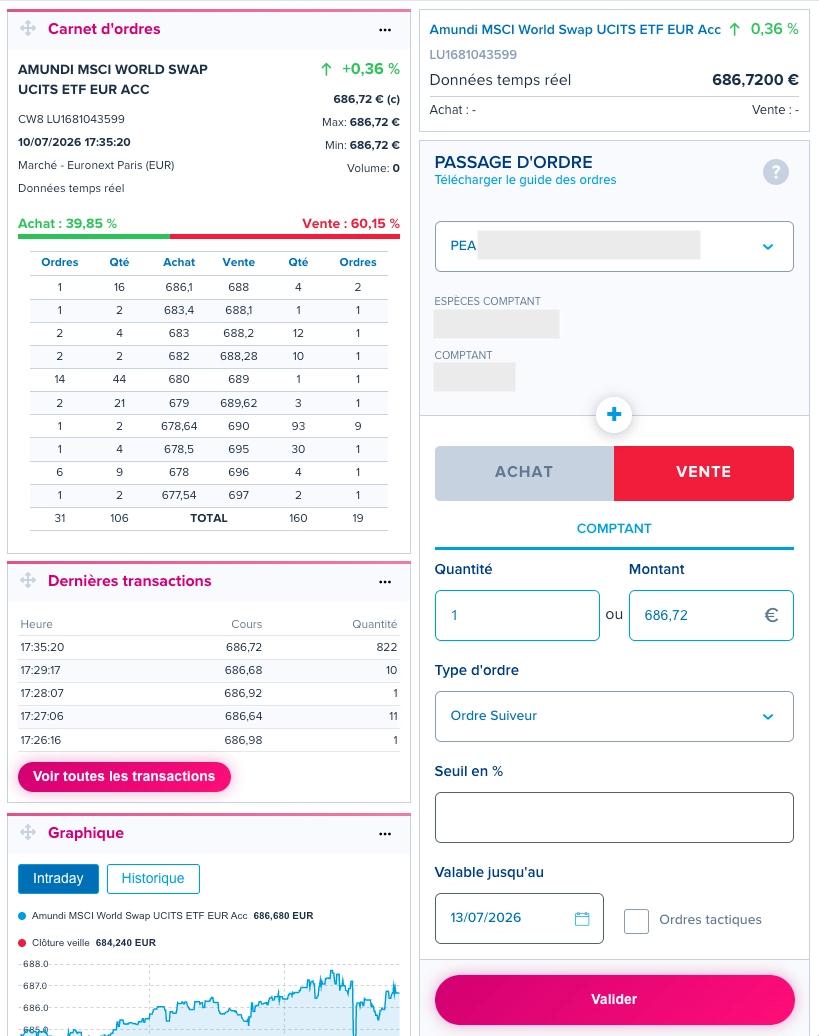
You set a percentage or monetary distance between the highest price reached since placing the order and its trigger.
When price makes a new high, the trigger rises while maintaining that distance.
If price then falls, the trigger stays at the level established by the latest high and doesn't move down.
When that threshold is reached, the order triggers and generally becomes a market order.
Not every broker offers it, and it isn't available in every market.
BoursoBank, the broker shown in these screenshots, offers it under the French name "Ordre suiveur".
Advantages and disadvantages
A standard stop prioritises execution once triggered, but doesn't control the purchase or sale price.
During a rapid decline, a sell stop may therefore execute below its trigger.
A stop-limit lets you set a minimum sale price or maximum purchase price, but execution is less certain.
For example, if a stock closes at €46 and opens the next day at €42, a stop-limit with a €45 trigger and €44 limit activates, but can't execute at €42.
It stays unfilled until a buyer offers at least €44.
A trailing stop automatically adjusts the sell trigger as price rises, without you having to move it manually.
Like a standard stop, though, it doesn't control the exact execution price once triggered.
Choosing the right order for the situation
The right choice mainly depends on your priority: favouring execution or controlling price more closely.
A market order suits a liquid security when speed matters more than the exact price.
A limit order suits investors who want a maximum purchase price or minimum sale price, even if that means the order doesn't fill.
A stop order can protect an open position against a decline, preserve part of a gain or buy a security when it reaches a specified threshold.
Many investors combine them, for example using a limit order to enter at a specific price, then a sell stop to limit risk once the purchase is filled.
Parameters to set before placing an order
Beyond order type, two parameters affect execution:
- Time in force
- Quantity
Time in force determines how long the order remains active.
Platforms generally offer day orders, which expire at the session's end if unfilled, orders valid until a specified date, or good-till-cancelled orders.
The maximum life of a good-till-cancelled order depends on the market and intermediary.
Quantity determines the number of securities involved.
If you request more than is available at the applicable price, the order may fill in several parts.
A large market order may use several price levels in the book.
For a limit order or triggered stop-limit, the unfilled part may remain pending until another counterparty is available, within the order's validity period.
Example: comparing orders on the same ETF
I want to buy units of the Amundi MSCI World Swap ETF listed on Euronext Paris.
The last traded price is €686.72.
Looking at the book, I can see the prices other investors are offering at that moment:
| Bid quantity and orders | Bid price | Ask price | Ask quantity and orders |
|---|---|---|---|
| 16 (1 order) | €686.10 | €688.00 | 4 (2 orders) |
| 2 (1 order) | €683.40 | €688.10 | 1 (1 order) |
| 4 (2 orders) | €683.00 | €688.20 | 12 (1 order) |
| 2 (2 orders) | €682.00 | €688.28 | 10 (1 order) |
| 44 (14 orders) | €680.00 | €689.00 | 1 (1 order) |
| 21 (2 orders) | €679.00 | €689.62 | 3 (1 order) |
| 2 (1 order) | €678.64 | €690.00 | 93 (9 orders) |
| 4 (1 order) | €678.50 | €695.00 | 30 (1 order) |
| 9 (6 orders) | €678.00 | €696.00 | 4 (1 order) |
| 2 (1 order) | €677.54 | €697.00 | 2 (1 order) |
The cheapest sellers offer 4 units at €688.00 across two orders.
The highest bidder is willing to pay €686.10 for 16 units.
If I place a market order
I buy at the cheapest available seller's price when my order reaches the market.
I want 1 unit and 4 are available at €688.00, so my purchase fills entirely at that price, not €686.72.
That last price was a completed transaction, not the price sellers are currently asking in the book. That explains the €1.28 difference.
If I place a limit order
I choose my maximum price, say €683.00, where two buy orders for a total of 4 units are already waiting.
My order joins the queue behind existing orders at that price.
It only fills if sellers accept €683.00 or lower and enough quantity remains after orders with priority are filled.
If I place a stop order
Imagine I bought the ETF at €690.00 and want to limit a loss if price falls.
I place a sell stop at €680.00.
If price reaches or falls below that level, it triggers and becomes a market order.
It executes at the available prices, which may be below €680.00 if price falls quickly.
If I don't want to sell below €679.00, I add that limit, making it a stop-limit order.
It can't execute below that threshold, but may not fill at all if no buyer is available at €679.00 or higher after activation.
If I place a trailing stop
Imagine I own one CW8 ETF unit trading at €686.72.
I place a trailing stop with a 2% distance.
The initial trigger is around €672.99, 2% below the starting price.
If price rises to €700.00, the sell trigger automatically rises to €686.00.
If price then reaches €710.00, the trigger rises to €695.80.
If price falls afterwards, the trigger stays at €695.80 and doesn't move down.
The order activates when price reaches or falls below that threshold.
In its most common form, it then becomes a market order and executes at the prices available at that moment.
